
Memotori Transcribe
On-device transcription for macOS and Windows.
Recording, transcription, and summarization all happen on your Mac or Windows PC.
Your audio, transcripts, and summaries are never sent to any server.
Available now on the Mac App Store and the Microsoft Store.
Everything on your device
Audio, transcripts, and summaries are processed on your device alone. No account is required, and it works without an internet connection.
The other side of the call
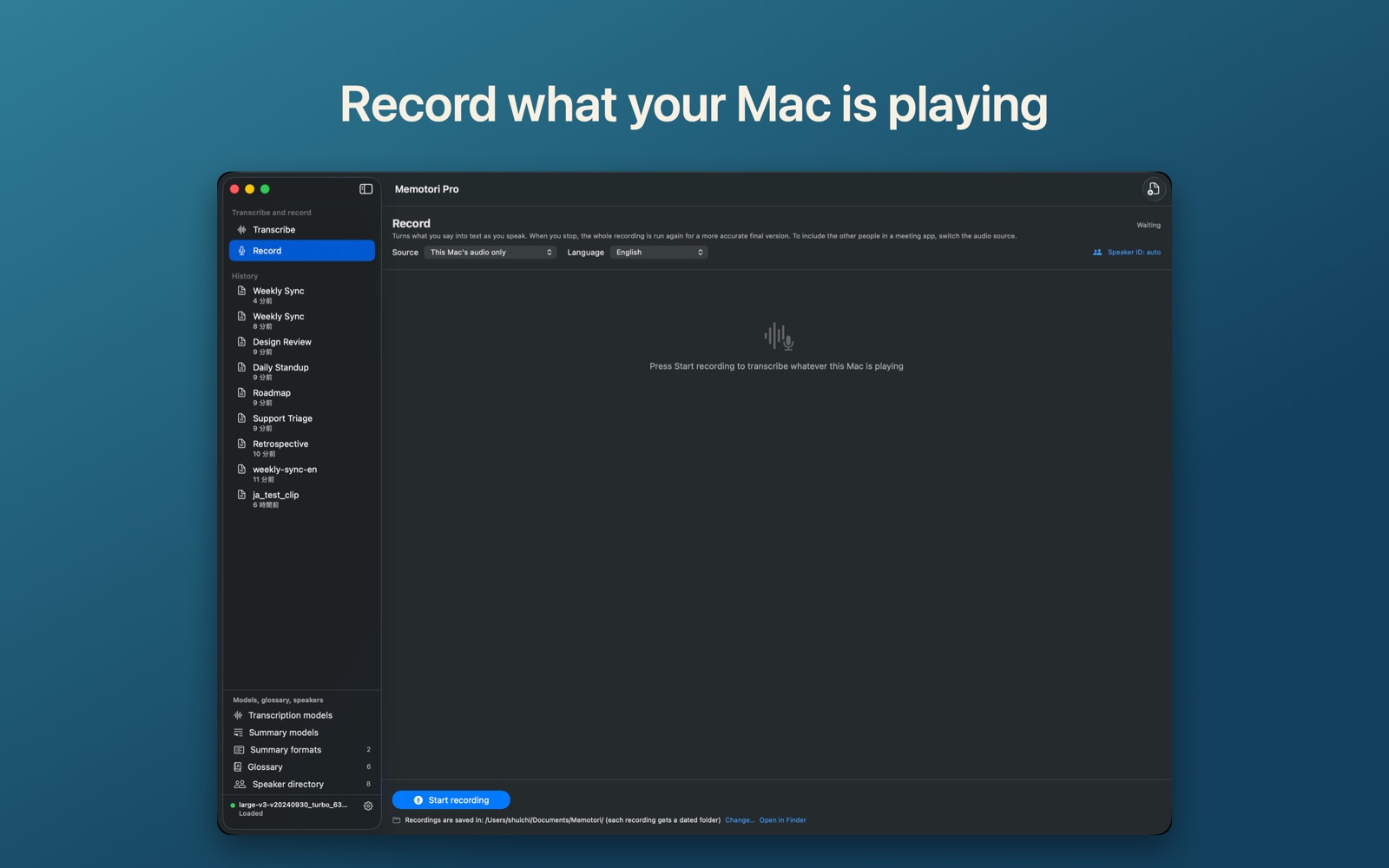
Memotori can record the audio your Mac or PC is playing, so voices from Google Meet, Zoom, or Teams are captured too — without a virtual audio device.
Straight to the point
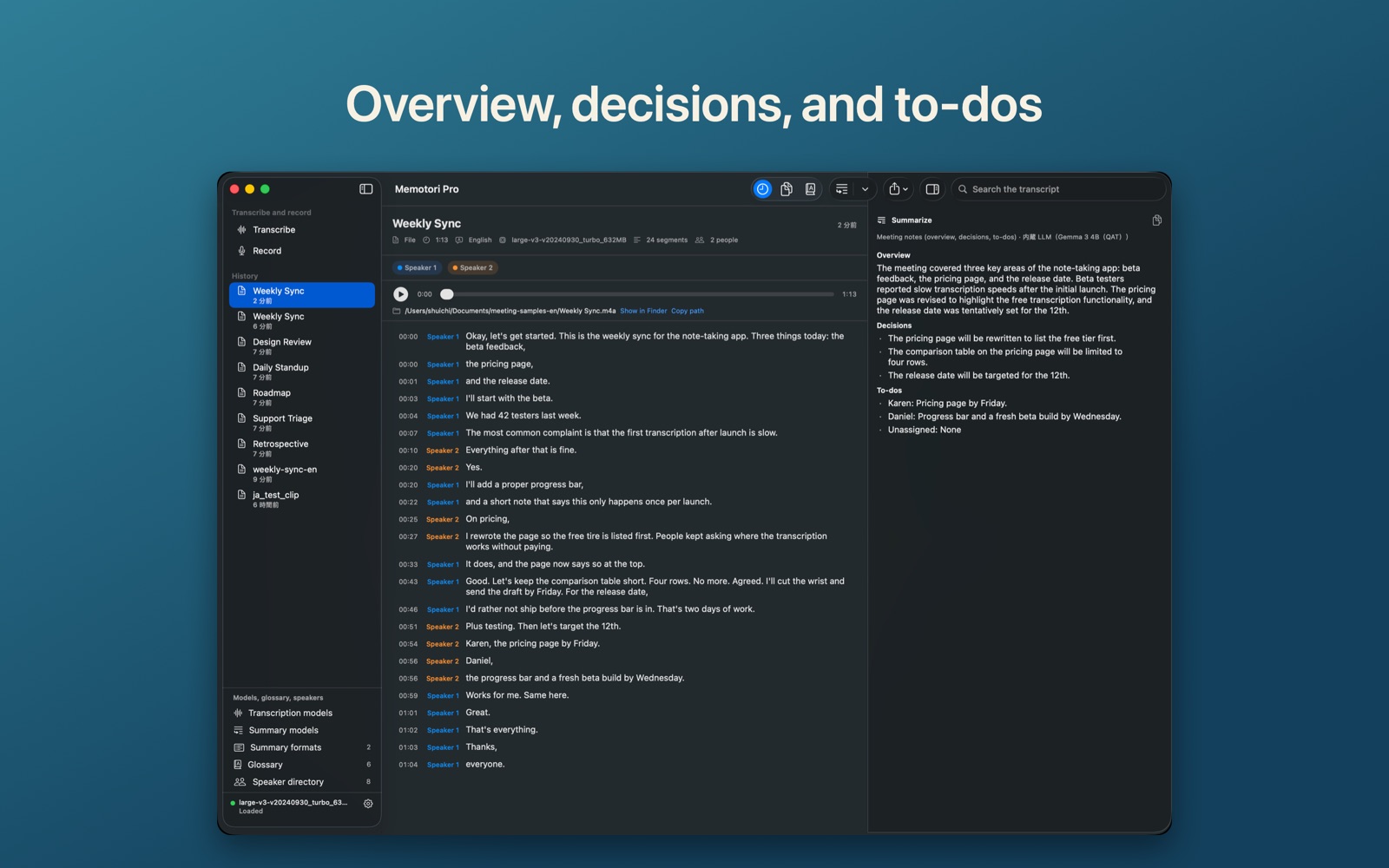
Summaries give you an overview, decisions, and to-dos. The language model is bundled with the app, so there is nothing else to install.
What it does
Transcribe files
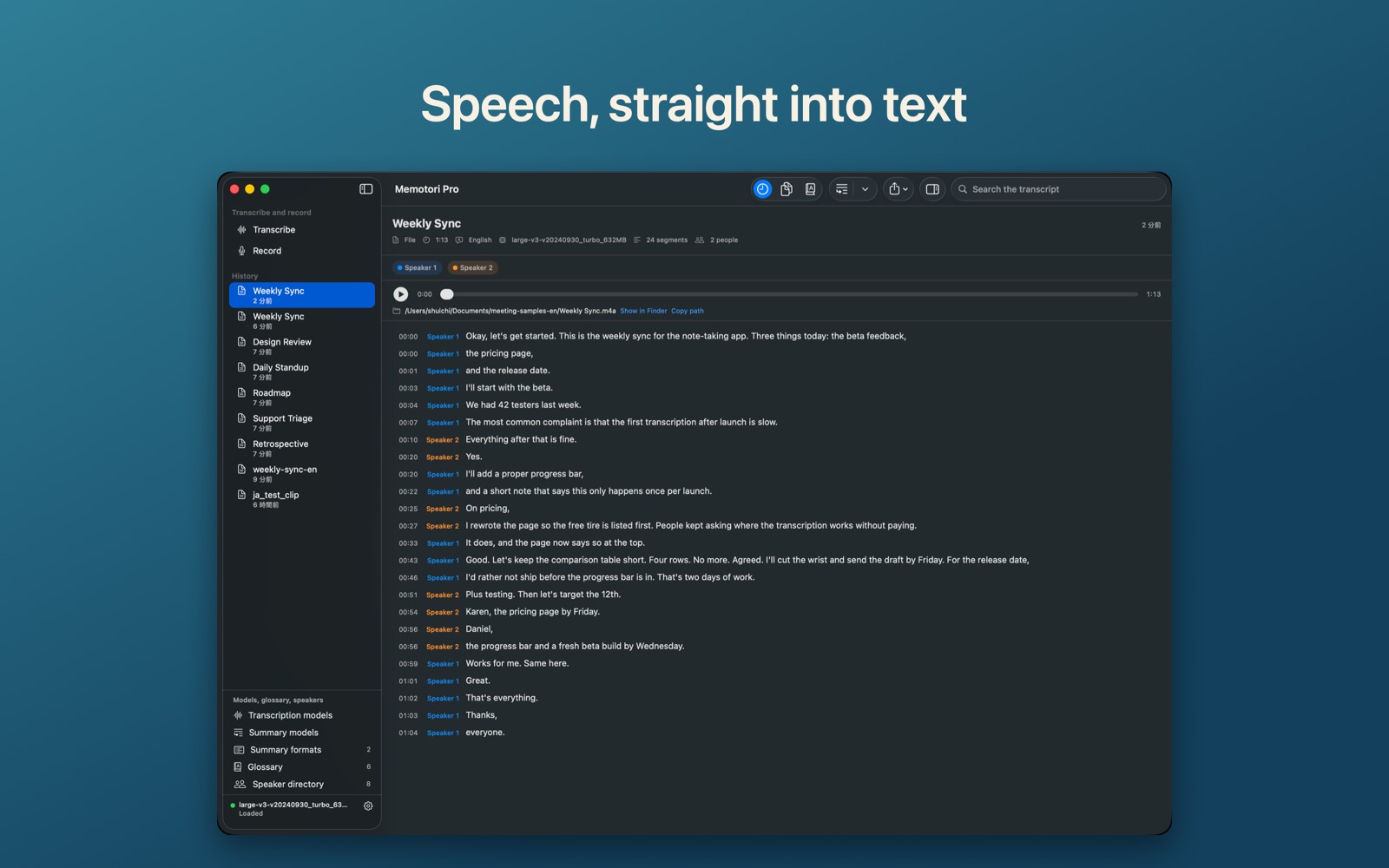
Drag and drop audio or video files. Multiple files are processed in order, and on Mac you can also send files from Finder’s “Open With”.
Record meetings, transcribe live
Choose microphone only, this computer’s audio only, or both. No virtual audio device such as BlackHole is needed. Memotori transcribes as you record, then reprocesses the whole recording when you stop to produce a more accurate final version.
Speaker identification
Assign speakers to each segment and give them names. Once named, a person is remembered by company, name, and voice characteristics, so their name is filled in automatically next time. The directory is editable as a table.
Term dictionary
Register words that are consistently misheard and they are corrected automatically. Useful for meetings full of proper nouns and internal terms.
Export and models
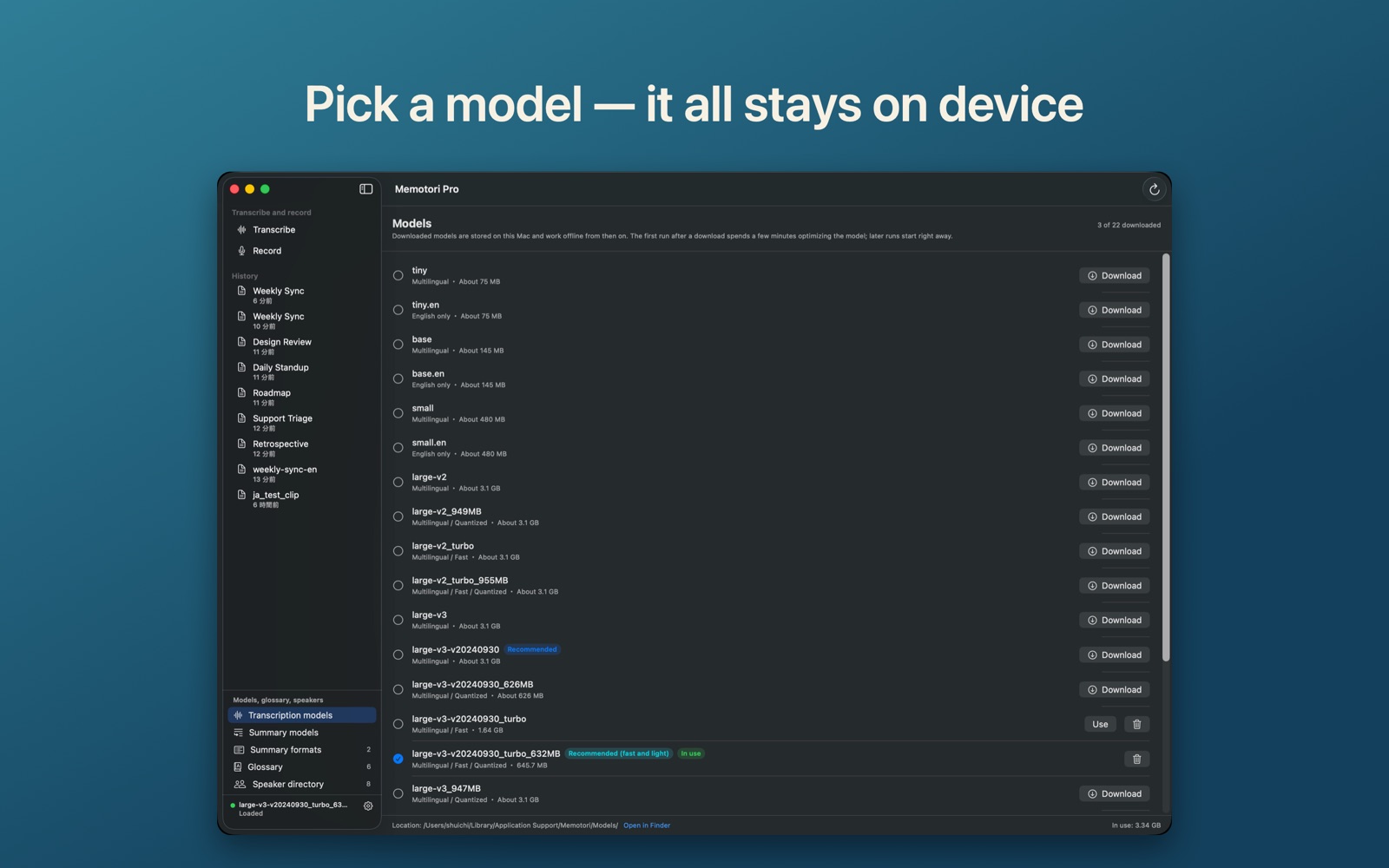
Export to TXT, SRT, VTT, Markdown, or JSON; SRT and VTT work as video subtitles. Models from tiny through large-v3 turbo trade accuracy against speed, and are downloaded and deleted from within the app. The interface follows your system language setting, in Japanese or English.
Free and Memotori Pro
Transcription, summarization, and export are all available without purchasing. The one-time in-app purchase “Memotori Pro” removes only these limits. There is no monthly charge.
| Free | Memotori Pro | |
|---|---|---|
| Audio length | 10 minutes per item | Unlimited |
| Term dictionary | 3 entries | Unlimited |
| Speaker directory | 3 people | Unlimited |
| Summary formats | 2 built-in only | Create, edit, and delete your own |
Requirements and permissions
- Mac: macOS 14 or later (Apple Silicon recommended)
- Windows: Windows 10 version 2004 or later, or Windows 11 (x64). Windows 10 build 20348 or later is recommended for recording the audio your PC is playing. Runs faster with a Vulkan-capable GPU, and on the CPU otherwise
- Transcription models are downloaded from within the app the first time (large-v3 turbo is about 1.6 GB)
- An internet connection is needed only for model downloads and the in-app purchase
| Permission (Mac) | Used for |
|---|---|
| Microphone | Recording |
| Screen Recording | Recording the audio your Mac is playing (for example remote participants in a call). This is how macOS gates system audio; Memotori does not capture, store, or transmit the contents of your screen |
You do not need to grant a permission for a feature you do not use, and permissions can be revoked at any time in System Settings > Privacy & Security.
On Windows, no permission other than the microphone is needed. Recording your PC’s audio works without extra permissions.
Support and privacy
Setup, frequently asked questions, and how to reach us. You can also ask questions, report bugs and suggest features on Discord.